An AI-powered legal chatbot that translates confusing legal notices into plain language guidance and step-by-step response support
Client
Tyche
Role
Product Designer
Team
Solo Designer
Tools
Figma, Figjam, Visual Studio Code, Claude Design, Claude Code
The legal help you always needed, finally in plain English.
LexAid is an AI chatbot that turns confusing legal notices into clear, plain language guidance. Describe your situation, and LexAid figures out what you are dealing with, what is urgent, and exactly what to do next. All through a simple conversation.
Most people face legal problems alone, not because help doesn't exist, but because the system was never designed for them.
Legal services are expensive, intimidating, and written in a language most people do not speak. A single consultation with a lawyer can cost hundreds of dollars, and for most people that is simply not an option. So when a notice arrives, they are left with two choices: pay for help they cannot afford, or figure it out alone. Most choose to do nothing at all. They wait, guess, or ignore it completely, and that is when small problems become serious ones.
A single lawyer consultation can cost hundreds of dollars. Most people simply cannot afford to ask for help.
Legal notices are written for lawyers, not people. Without clarity, critical deadlines get missed and rights are lost.
Faced with a notice they do not understand and cannot afford to resolve, most people do nothing at all.
The Solution
A legal companion that understands your situation and tells you exactly what to do next.
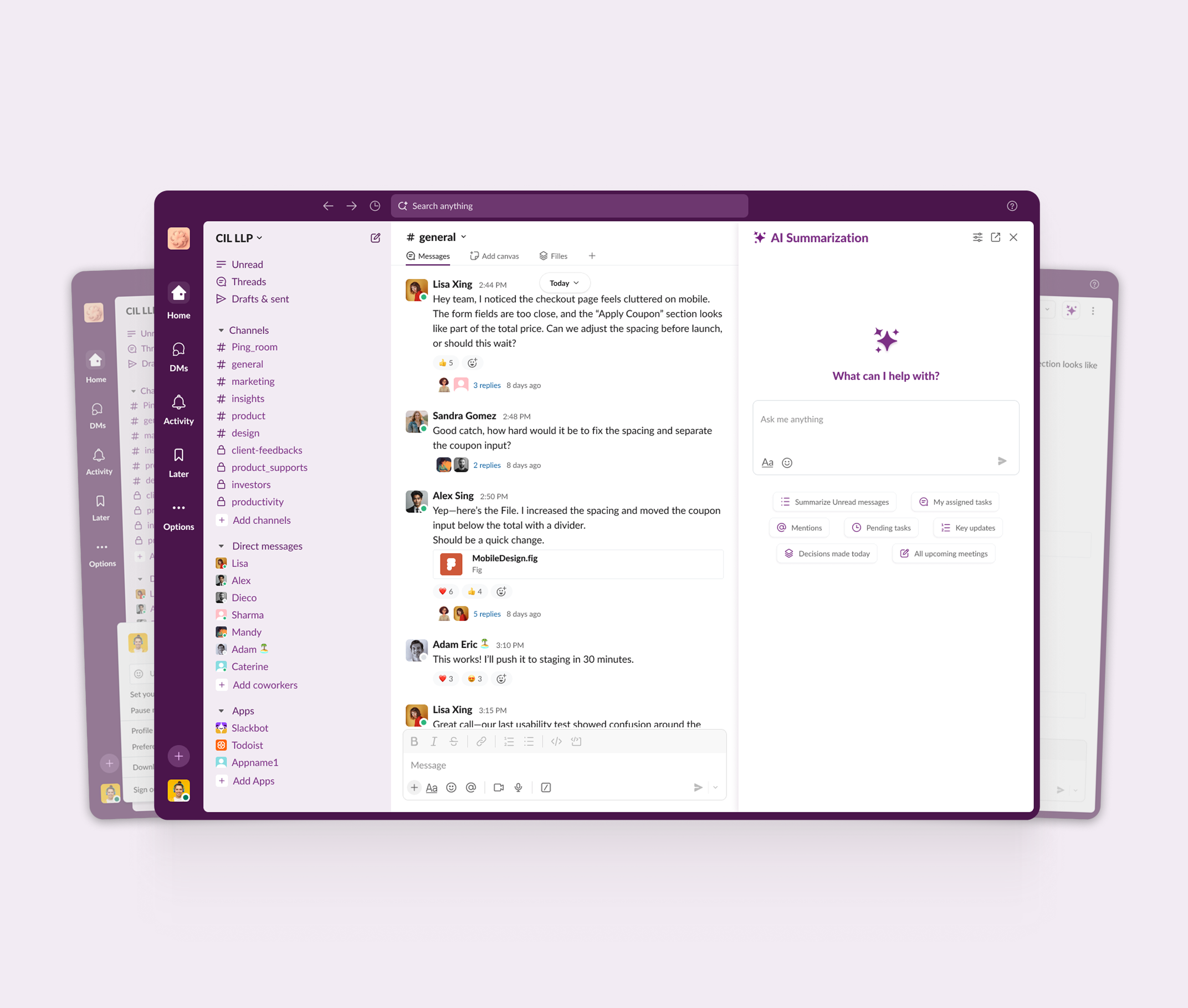
LexAid brings conversational AI into the legal space, giving everyone access to the kind of clear, confident guidance that used to cost hundreds of dollars an hour. Describe your situation in plain language, and LexAid takes it from there. It reads your notices, categorises them by area of law, flags what is urgent, and walks you through your next steps one message at a time.
AI Notice Categorisation
Plain Language Guidance
Urgent Deadline Alerts
Secondary Research
Uncovering the systemic barriers to legal access and the limits of existing AI tools.
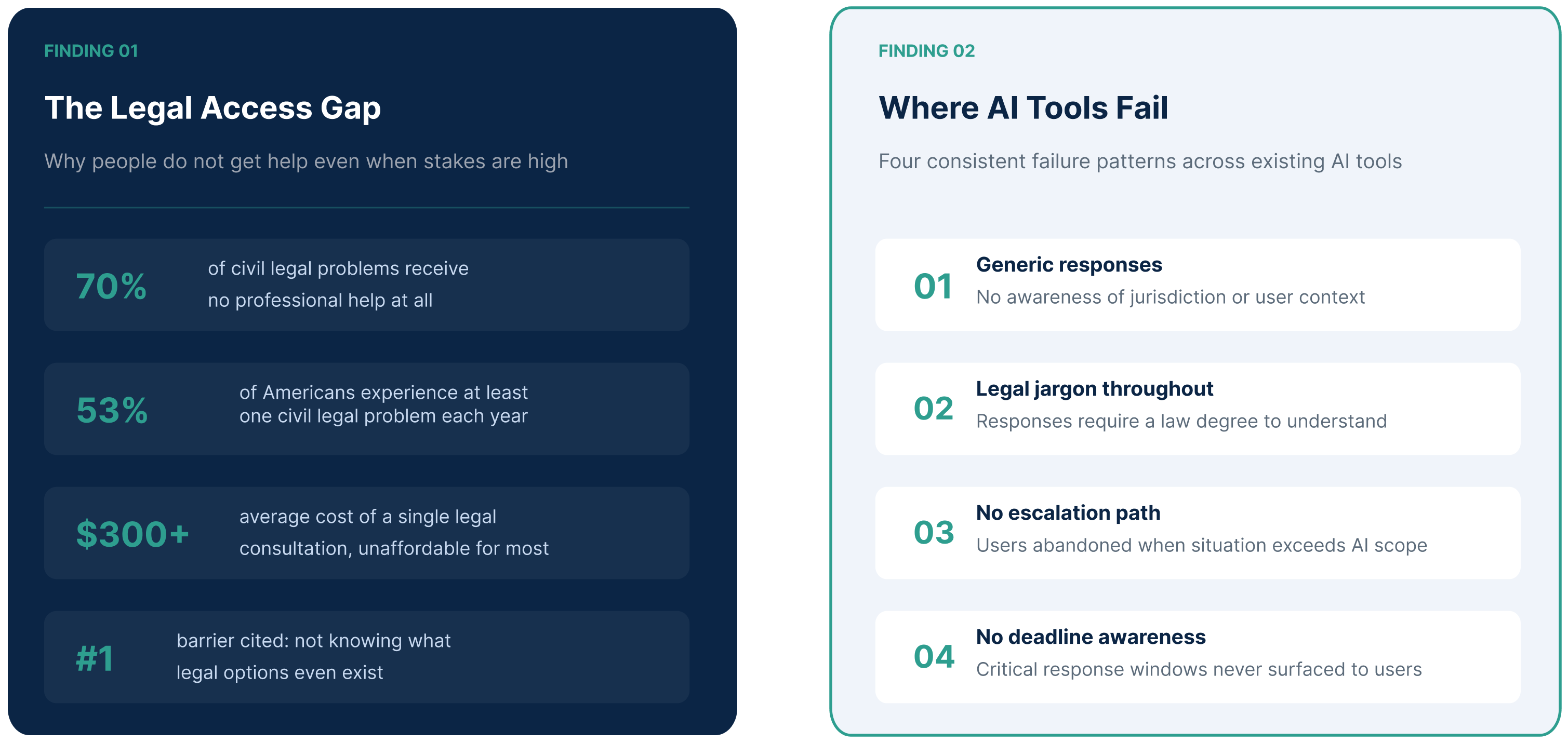
Most people do not ignore legal problems because they do not care. They ignore them because getting help costs too much, the documents they receive make no sense, and by the time they figure out what to do, it is already too late. Before writing a single survey question, I looked at two things: why people struggle to access legal help in the first place, and why the AI tools available today still do not solve the problem.
Survey
Listening to people who have actually faced a legal problem.
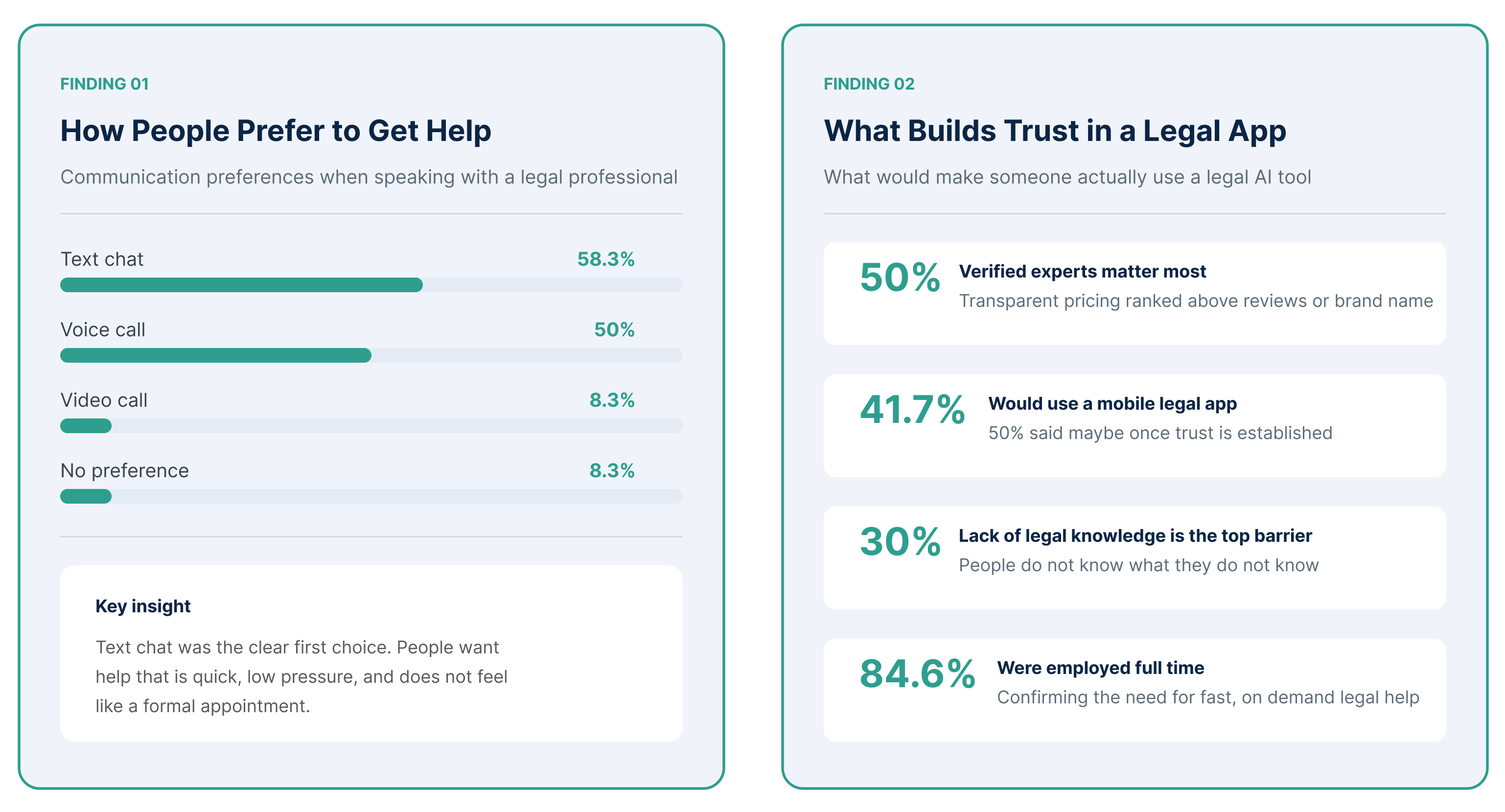
I distributed a screened survey through online forums and community groups. Screener questions made sure every participant had a real legal concern, not a hypothetical one. The goal was simple: understand what people actually need when they are in the middle of a legal situation, and what stops them from getting it. Three clear patterns came through: trust, affordability, and the need for plain and simple guidance.
Persona
Grouping our users into 3 main archetypes.
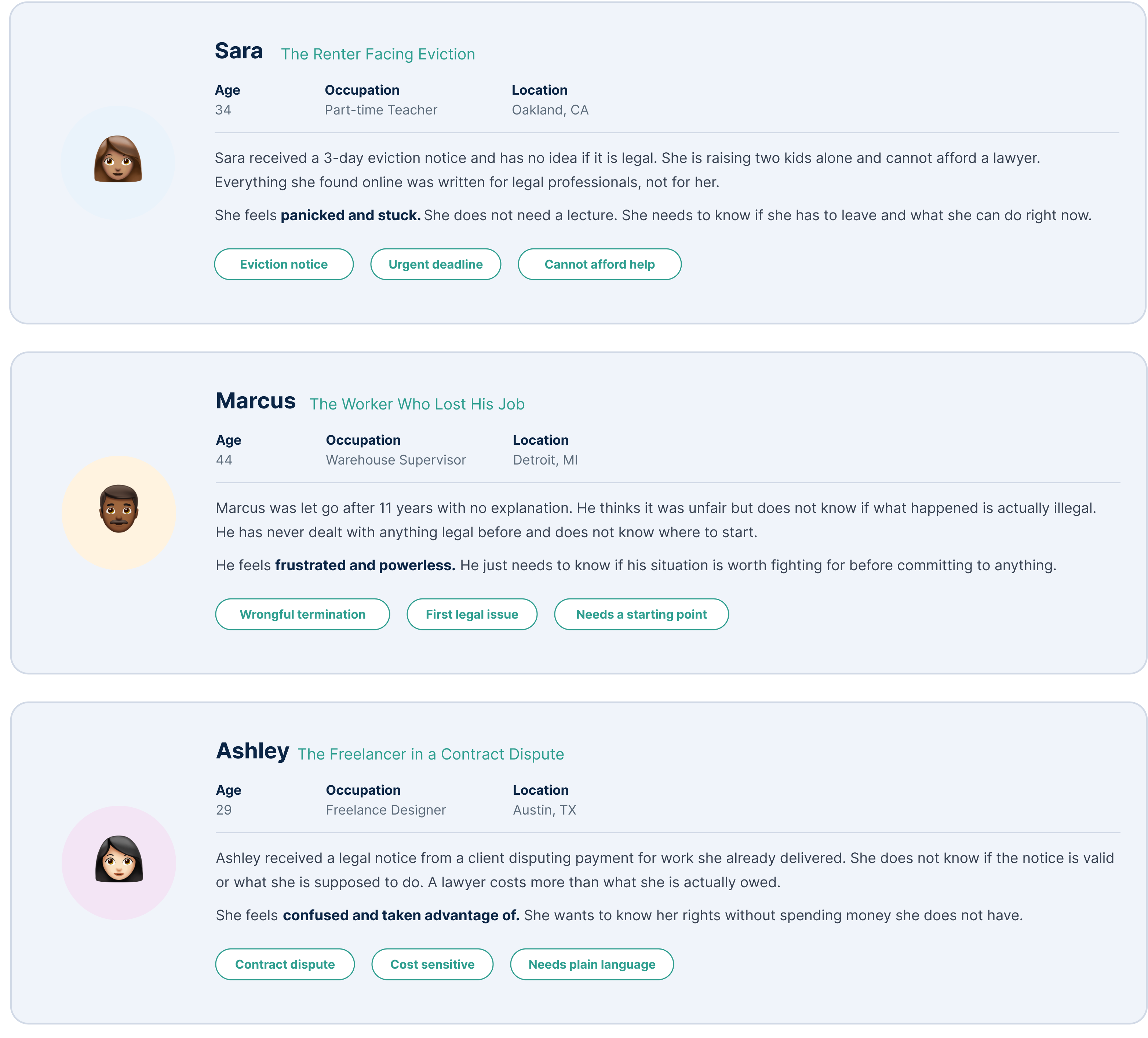
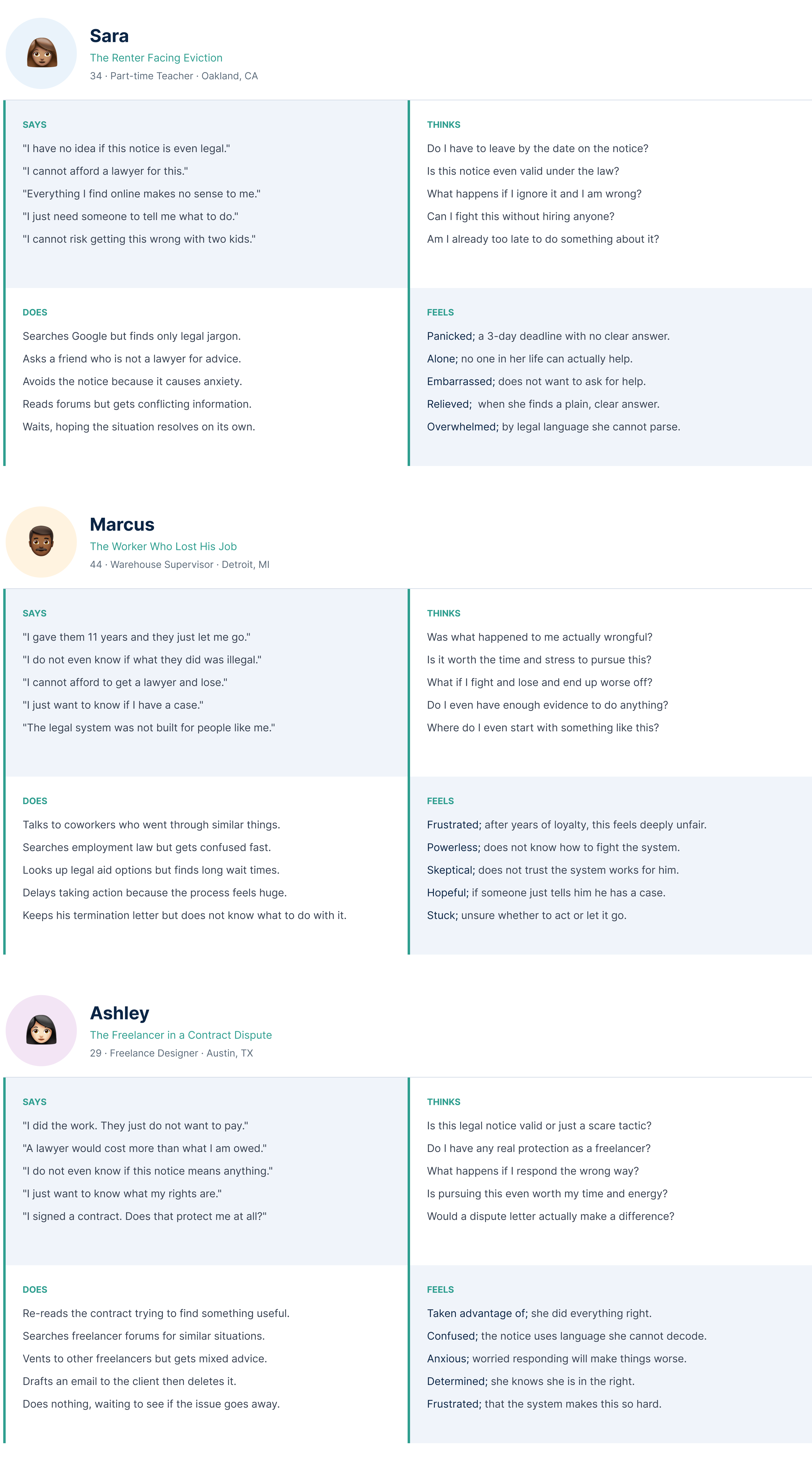
Three distinct user personas emerged from the survey findings: the renter under threat of eviction, the worker questioning a wrongful termination, and the freelancer caught in a contract dispute. 3 archetypes with 3 different pain points, yet one thing in common: they all needed help and had nowhere affordable to turn.
Empathy Map
Getting inside the head of each user.
Three empathy maps were built from the persona research. Each map captures what Sara, Marcus, and Ashley were actually thinking, feeling, saying, and doing when they found themselves stuck in a legal situation with no clear way out.
Competitive Analysis
Exploring what already exists and where everything falls short.
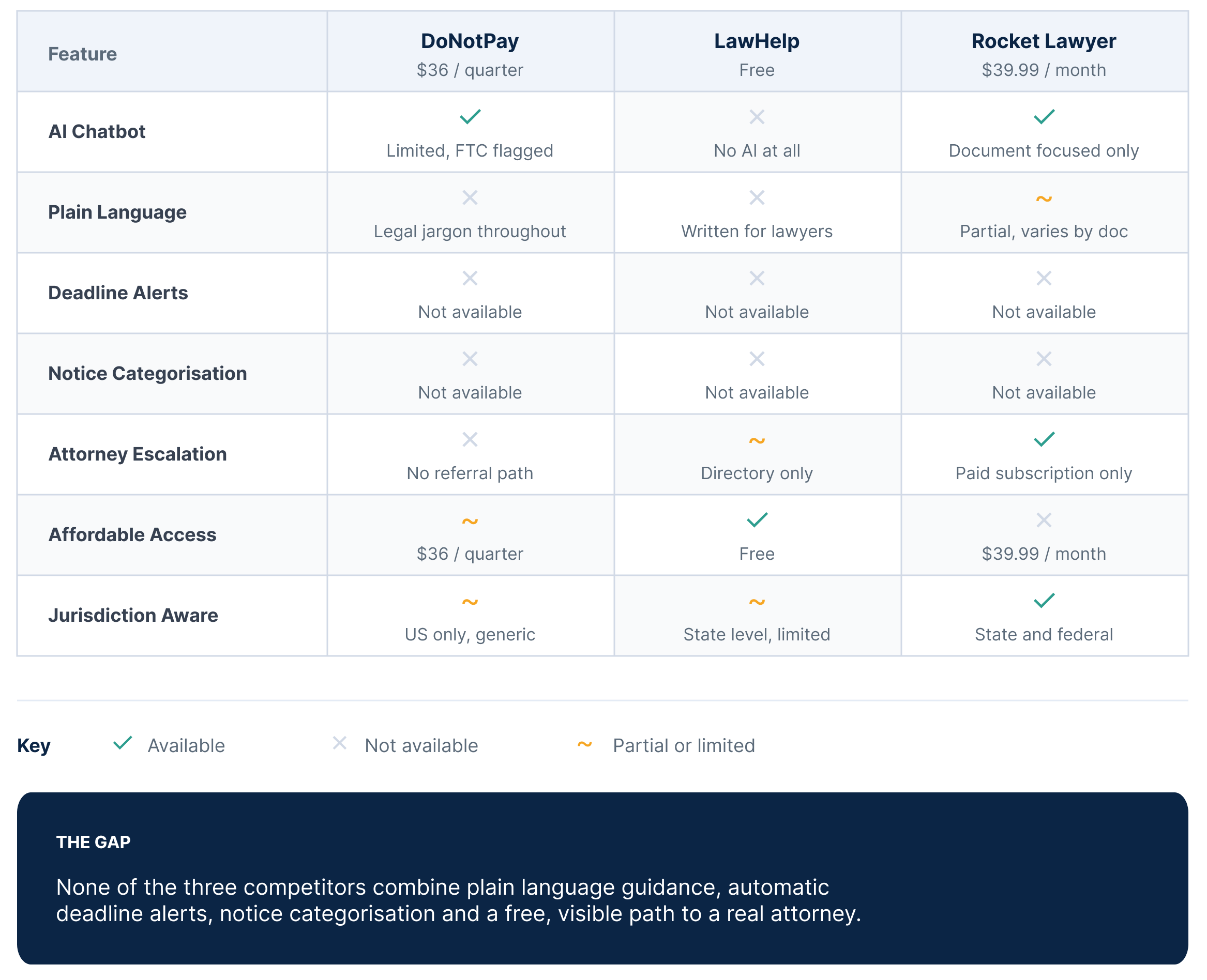
I researched 3 existing legal tools to understand what was already out there before designing anything. DoNotPay overpromised and was fined by the FTC for it. LawHelp is free but written entirely for lawyers, not the people who actually need help. Rocket Lawyer is the most complete option, but it costs nearly $40 a month, putting it out of reach for the exact people facing the most urgent legal problems. The gap was clear: no existing tool combines plain language guidance, automatic deadline alerts, and a free path to a real attorney in one place.
How Might We
Turning research findings into the right design questions.
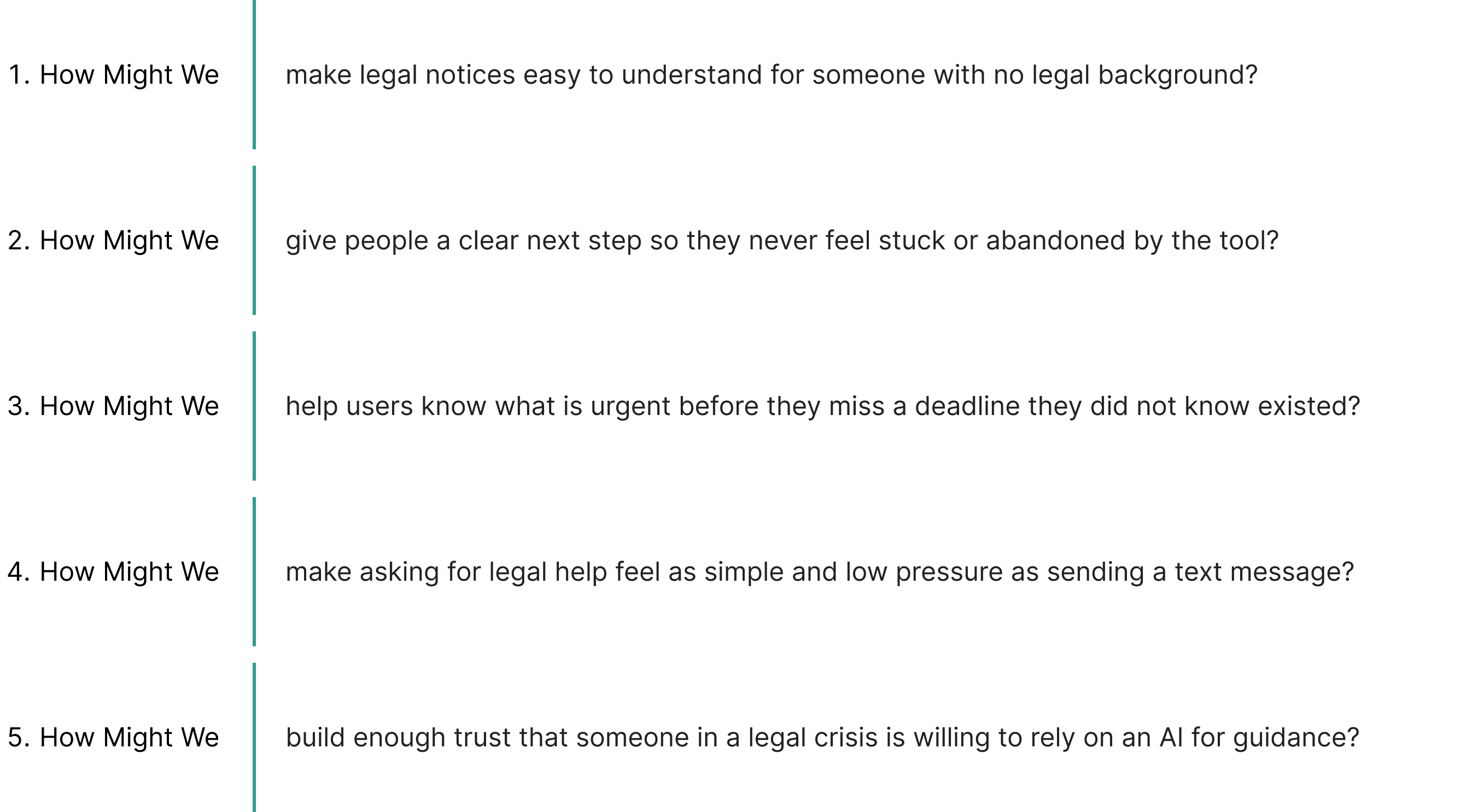
After mapping the problem, the personas, and the gaps in existing tools, I needed to reframe everything as a set of clear design challenges. How Might We questions helped me move from what I found to what I needed to solve. Each one came directly from something a real user was struggling with.
User Stories
Defining what each user needs the product to actually do.
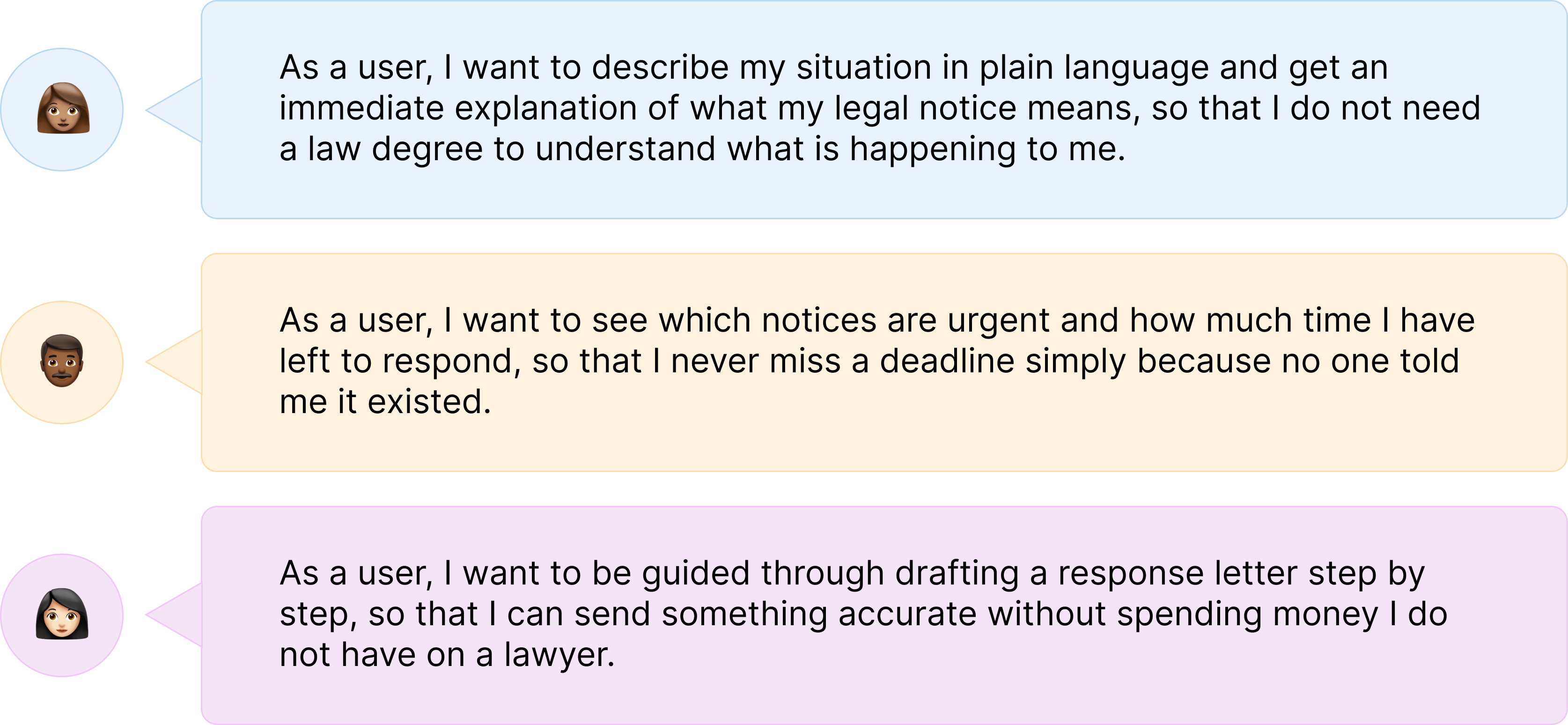
I wrote user stories to make sure every feature in LexAid existed for a real reason. Each one came directly from the research and maps to a specific pain point from the personas.
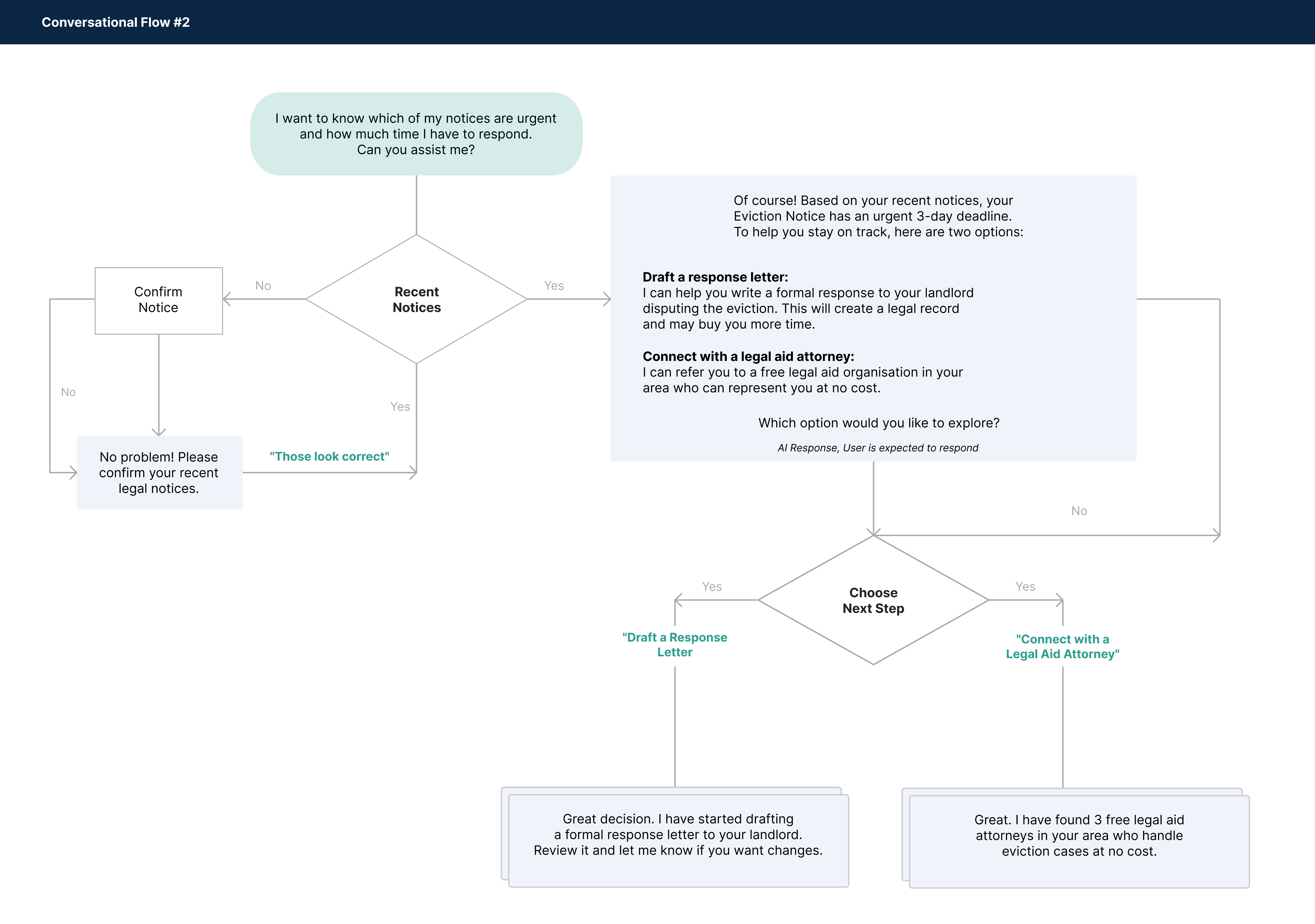
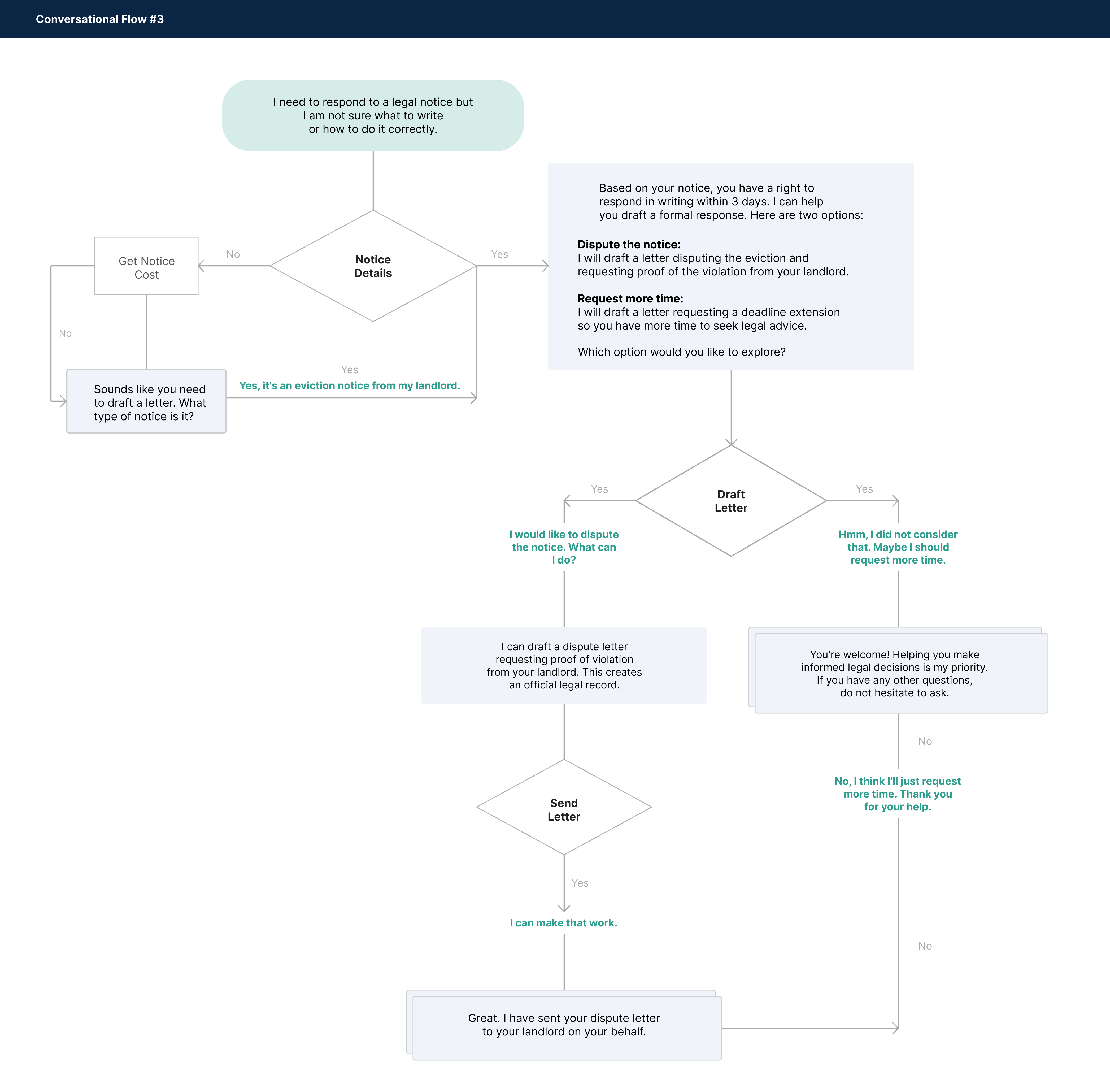
User Flow
Mapping how each user moves through LexAid from start to finish.
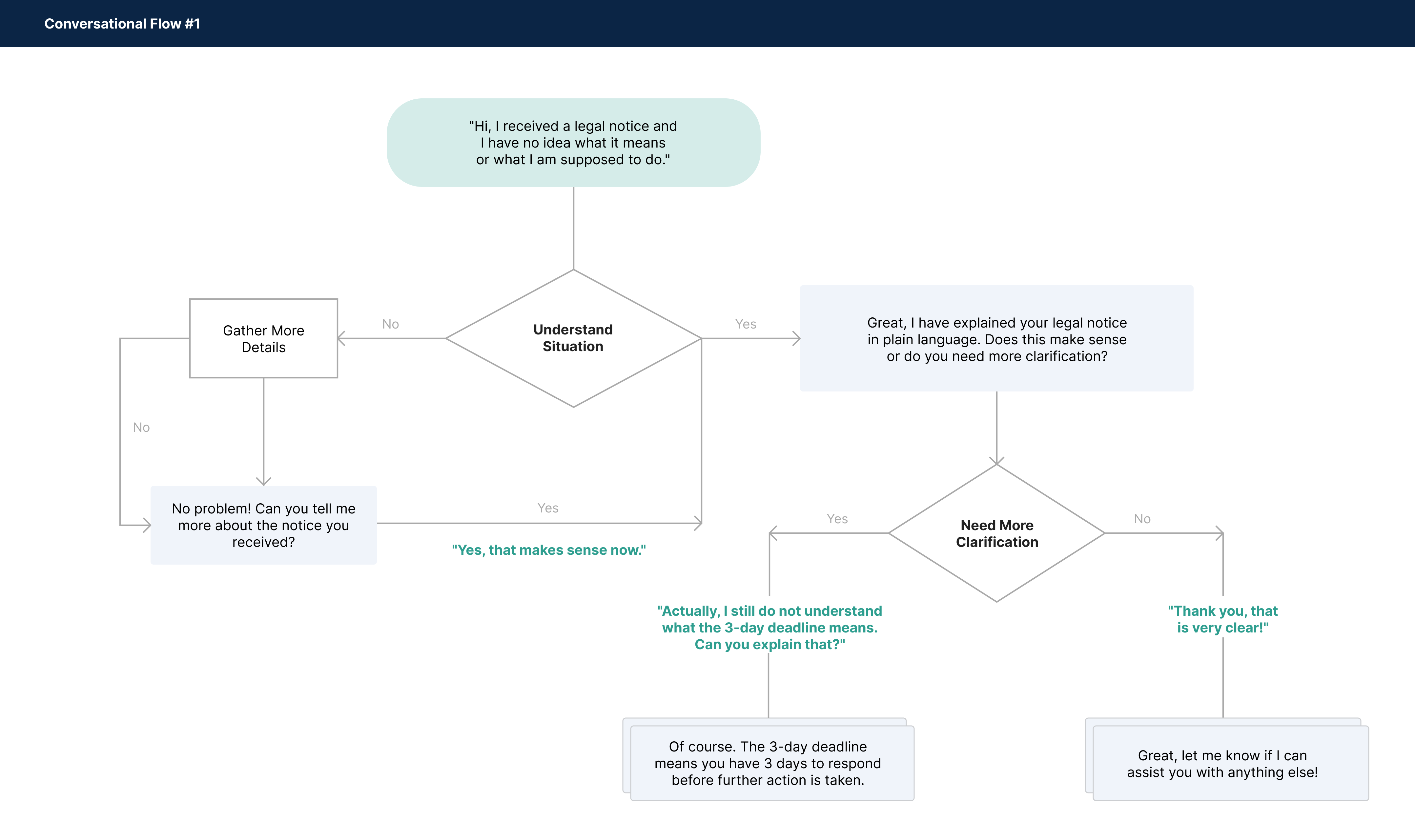
I mapped the user flow to make sure every screen in LexAid existed for a real reason. Each step came directly from the user stories and maps to a specific action a user needs to take to resolve their legal situation.
3 conversational flows
UI Design
Building the hi-fi screens and interactive prototype.
The screens were designed around the three user stories. Each flow maps directly to a real problem that came through in the research: Sara not knowing if her eviction notice was legal, Marcus unsure if he had 3 days or 3 weeks to respond, and Ashley needing a letter she could actually send without spending money she did not have.
Flow 01 · Understanding a Legal Notice
As a user, I want to describe my situation in plain language and get an immediate explanation of what my legal notice means.
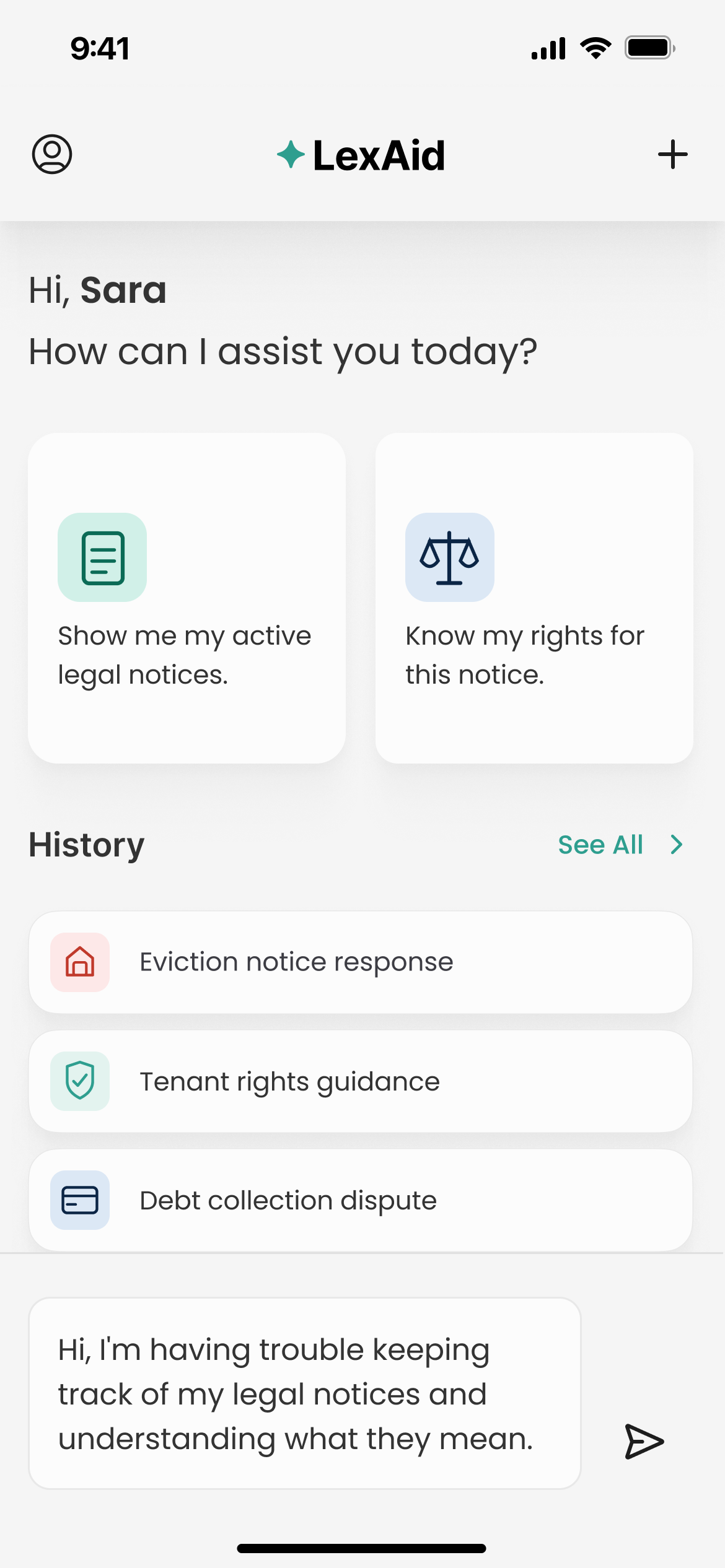
a) Getting started with a legal problem. Entry point. User describes their situation in plain language. Quick action shortcuts and conversation history are visible from the start, so the user never has to start from scratch.
b) Confirming what notices exist. LexAid surfaces the user's recent legal notices in a structured card showing notice type, legal category, and status. User confirms or flags an error before anything moves forward.
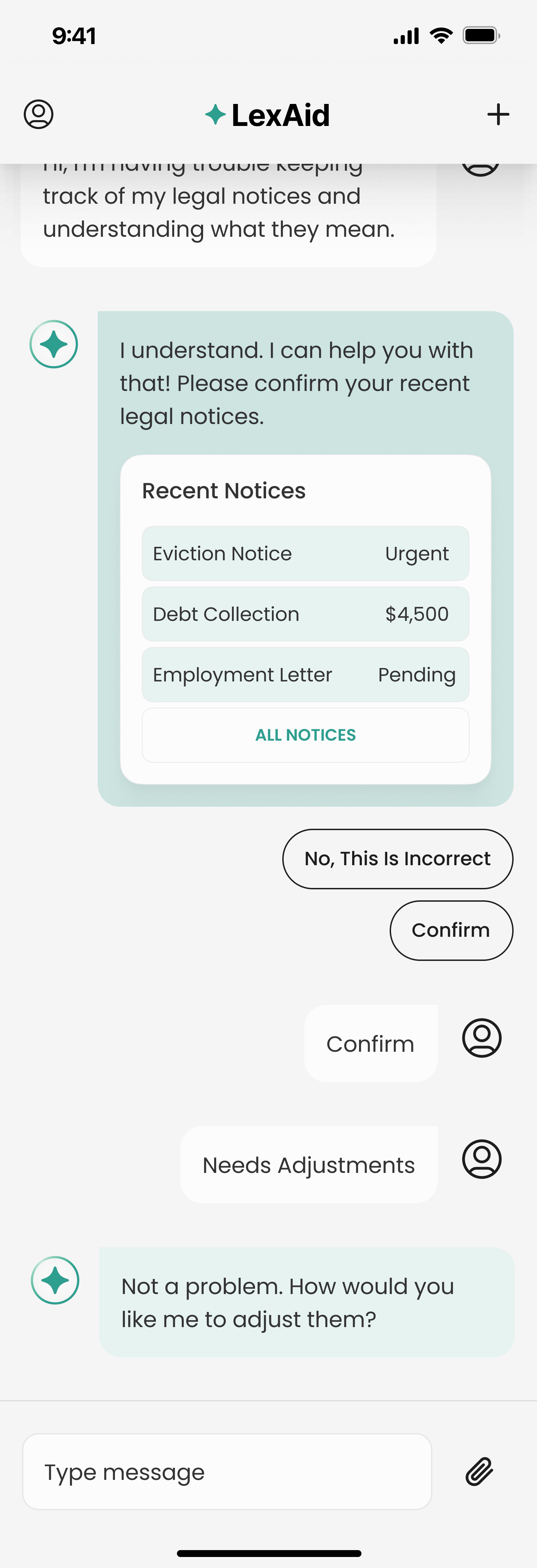
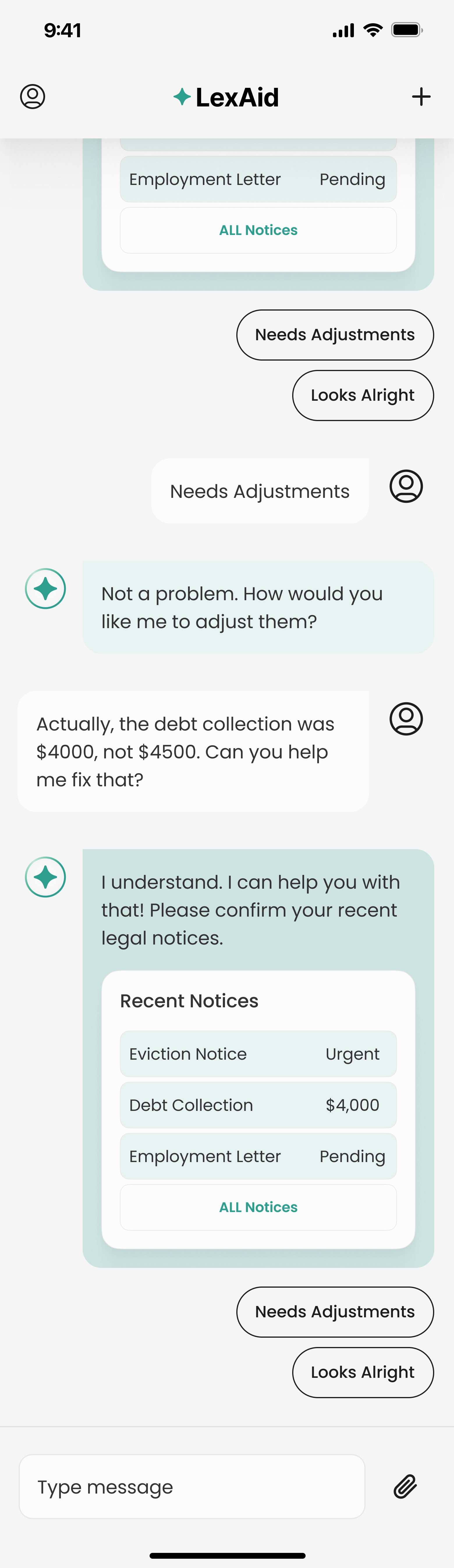
c) Categorising notices by area of law. LexAid categorises each notice by area of law, Housing, Consumer Protection, Employment, and assigns urgency tags. User reviews and responds with Needs Adjustments or Looks Right.
Flow 02 · Surfacing Urgent Deadlines
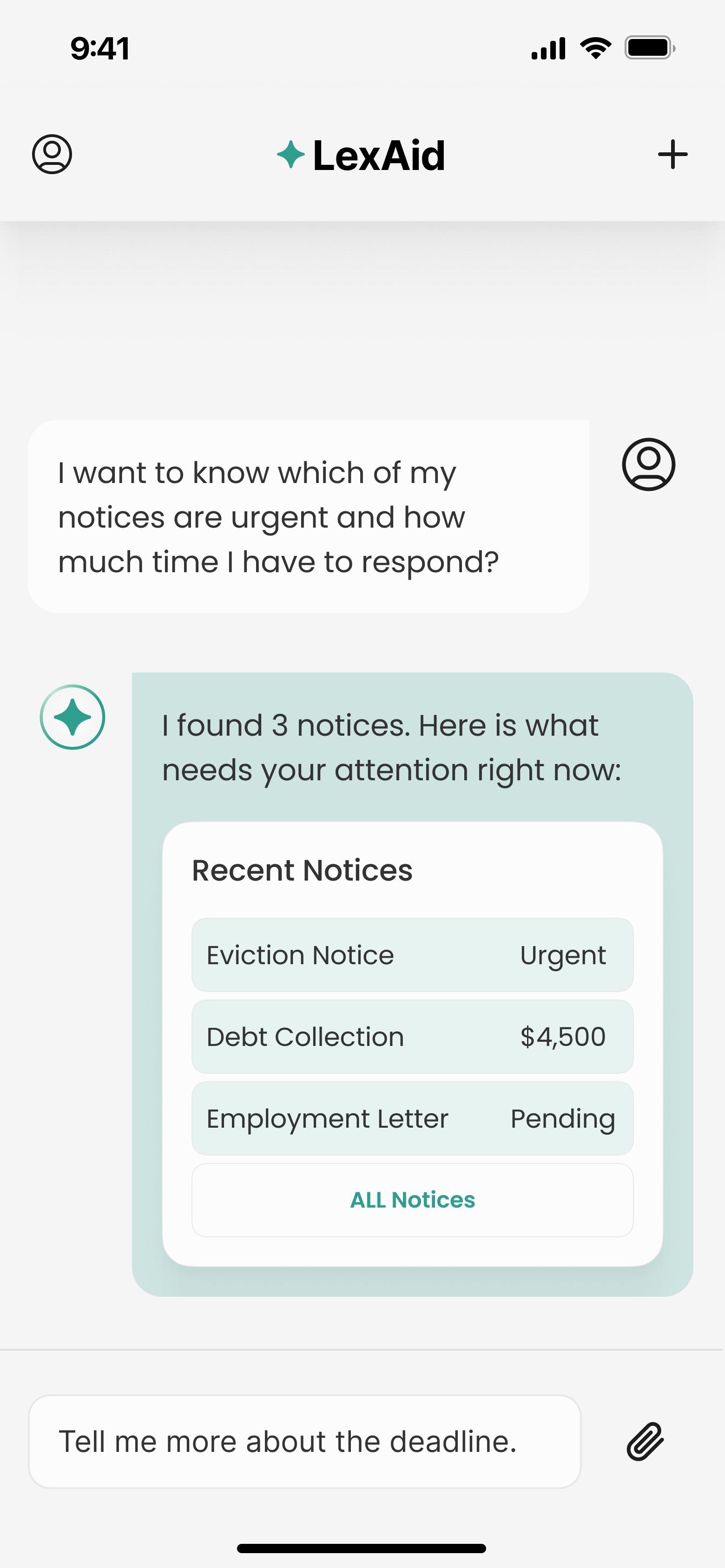
As a user, I want to see which notices are urgent and how much time I have left to respond, so that I never miss a deadline simply because no one told me it existed.
a) Asking about urgent notices. Entry point. User asks which notices are urgent and how much time they have left to respond.
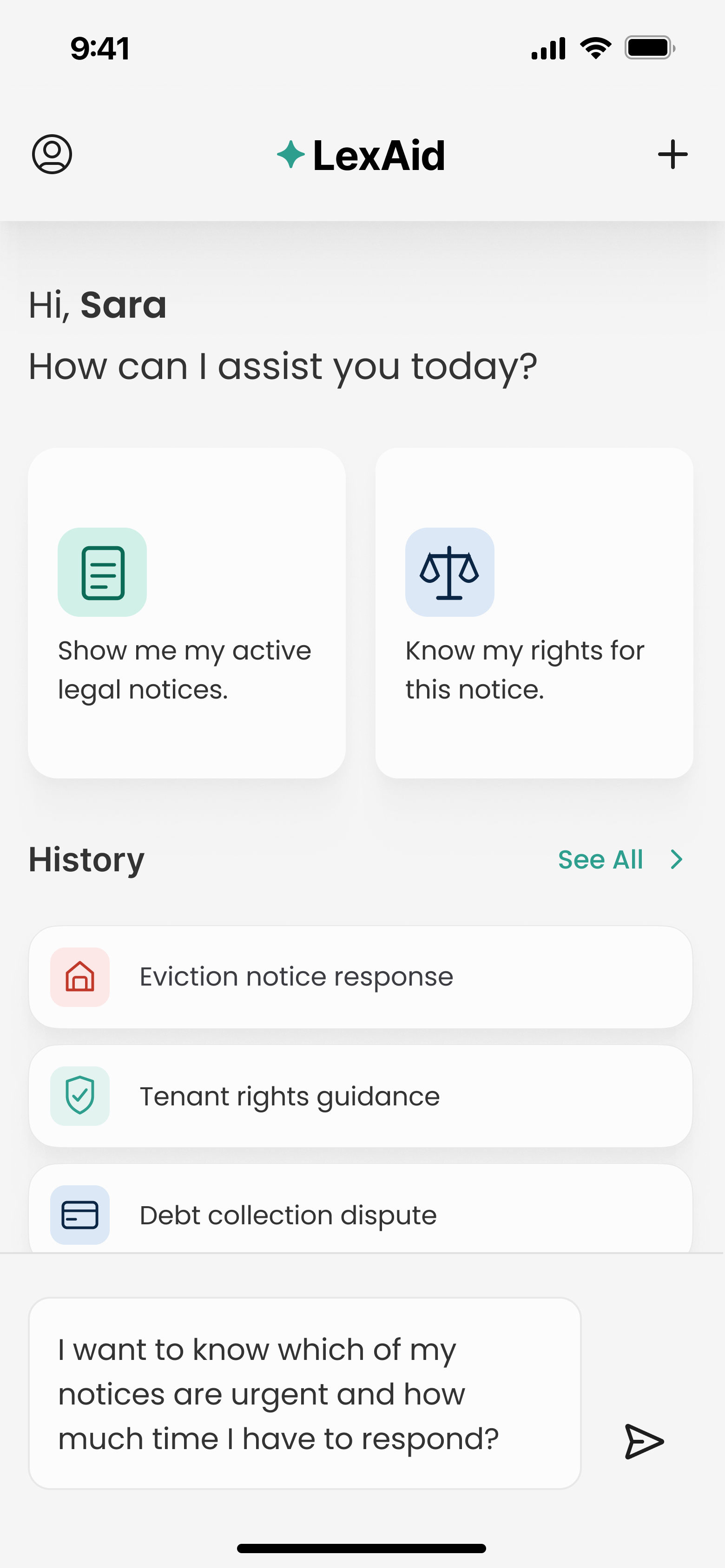
b) Surfacing all notices with deadline status. LexAid presents all 3 notices in a structured card. Eviction Notice flagged as Urgent, Debt Collection shows the amount owed, Employment Letter marked Pending.
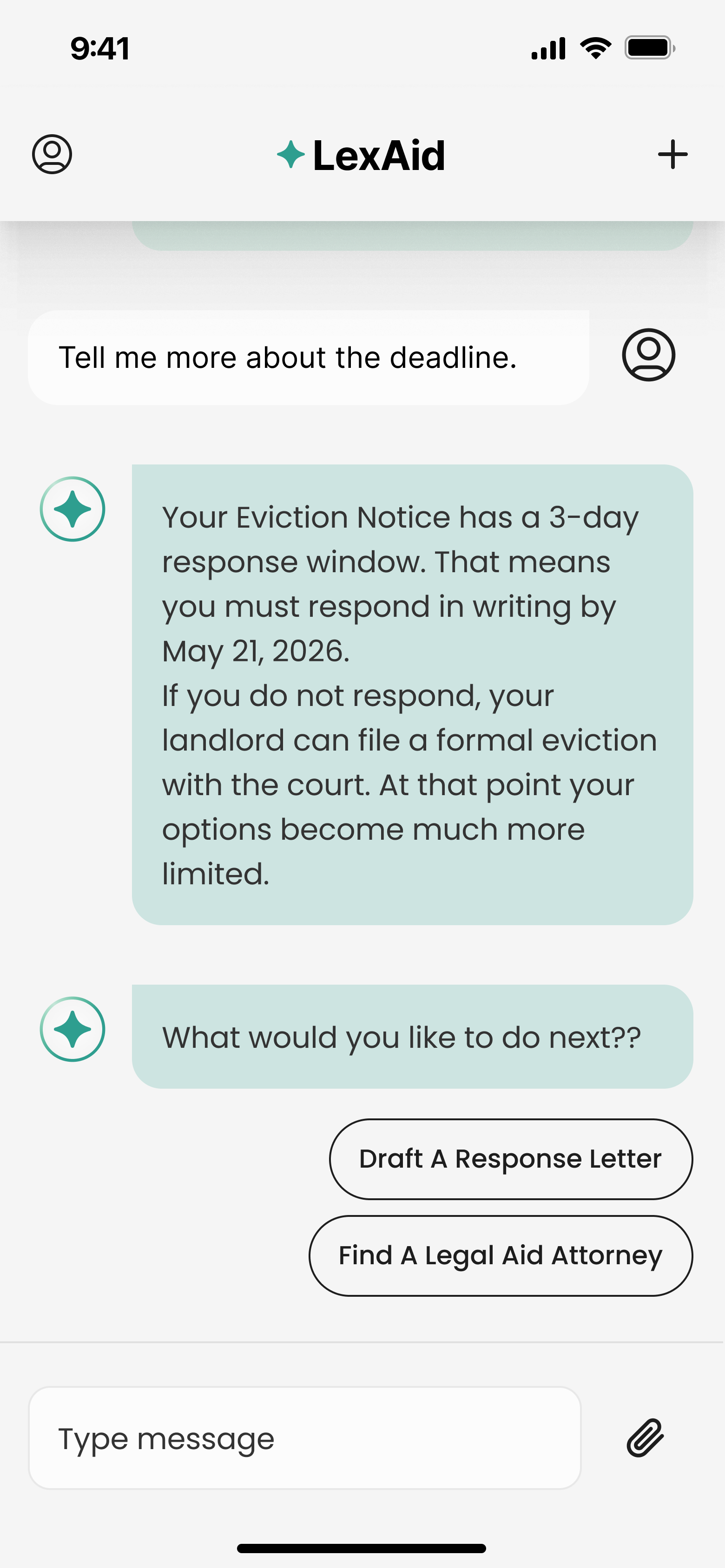
c) Explaining the deadline and offering next steps. LexAid explains the 3-day response window in plain language and presents two clear next steps: Draft a Response Letter or Find a Legal Aid Attorney.
Flow 03 · Drafting a Response Letter
As a user, I want to be guided through drafting a response letter step by step, so that I can send something accurate without spending money I do not have on a lawyer.
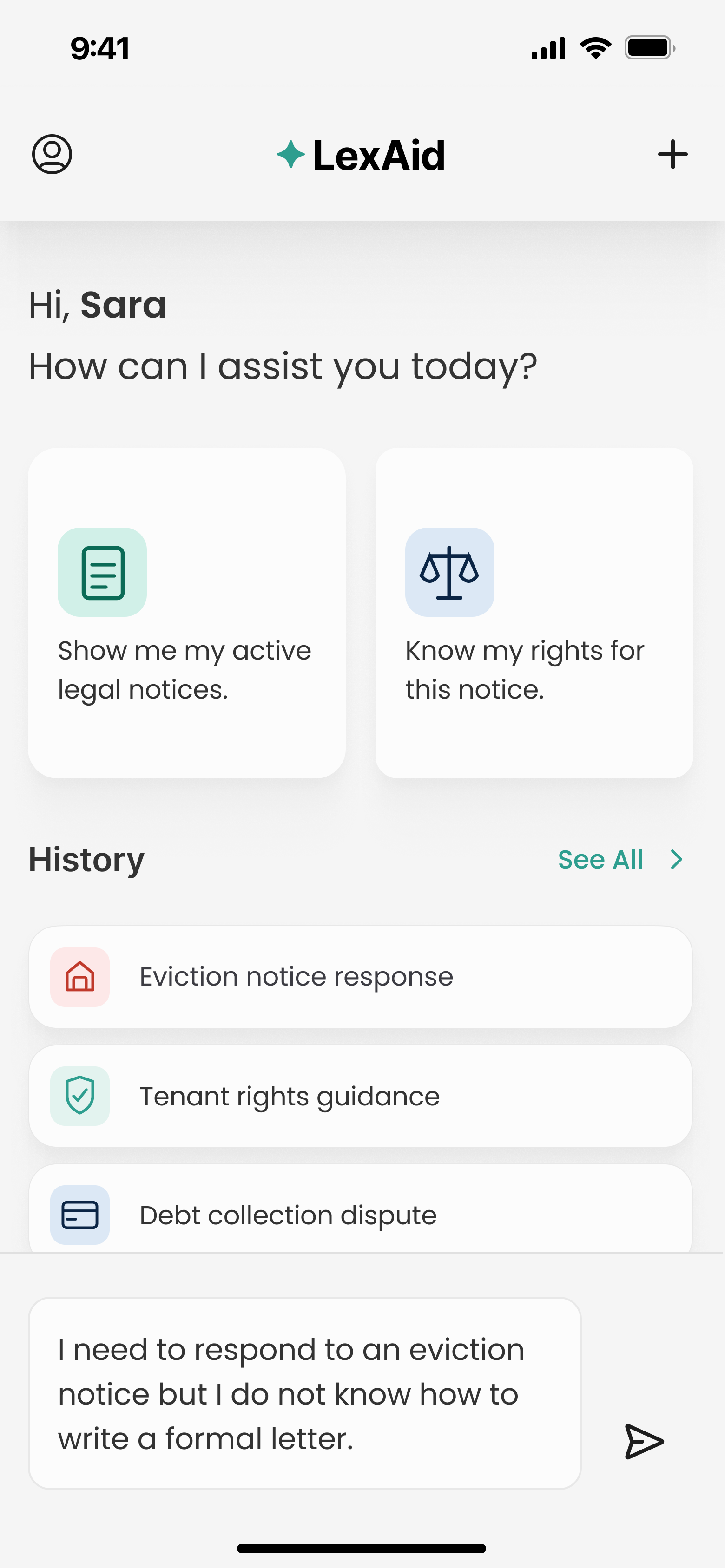
a) Requesting help with a formal letter. Entry point. User explains they need to respond to an eviction notice, but do not know how to write a formal letter.
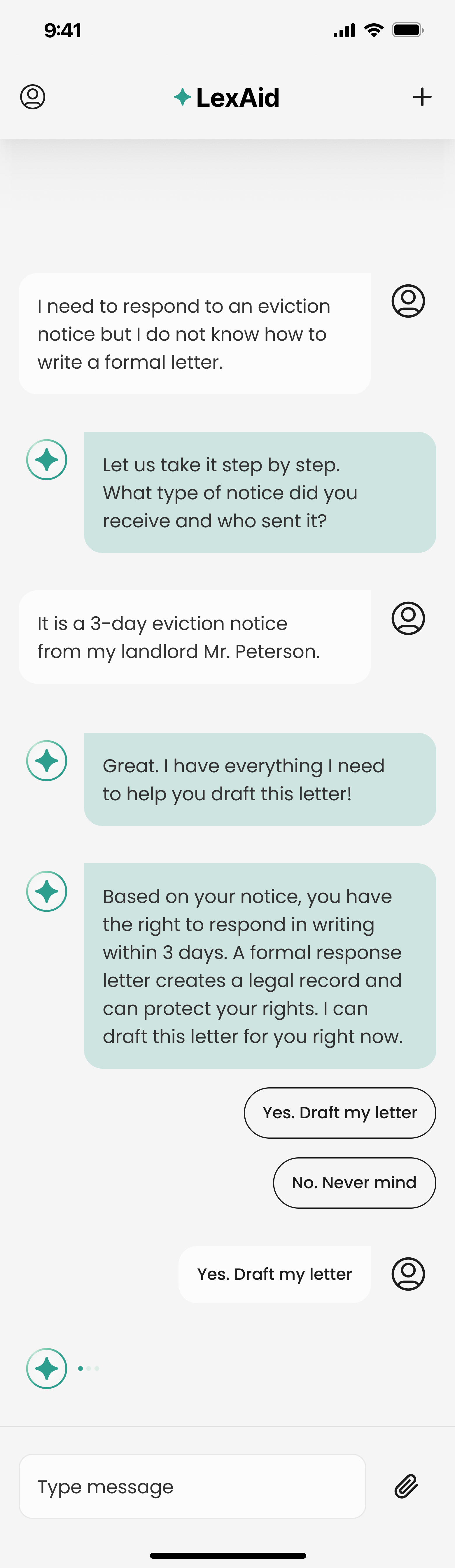
b) Gathering details and confirming the draft. LexAid asks for the notice type and sender, confirms it has everything needed, and explains the user's right to respond in writing within 3 days.
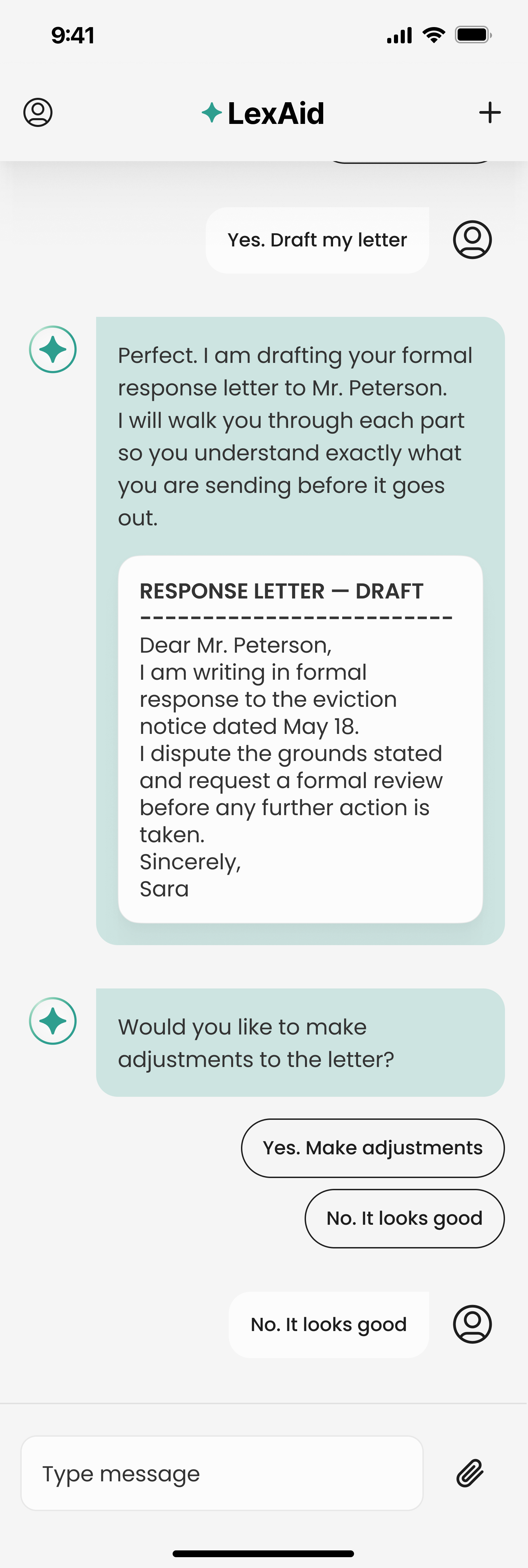
c) Reviewing the draft and confirming. LexAid presents the full draft letter. User reviews it and responds to "Would you like to make adjustments?" with "No. It looks good."
Test
Redesigning based on what users told us.
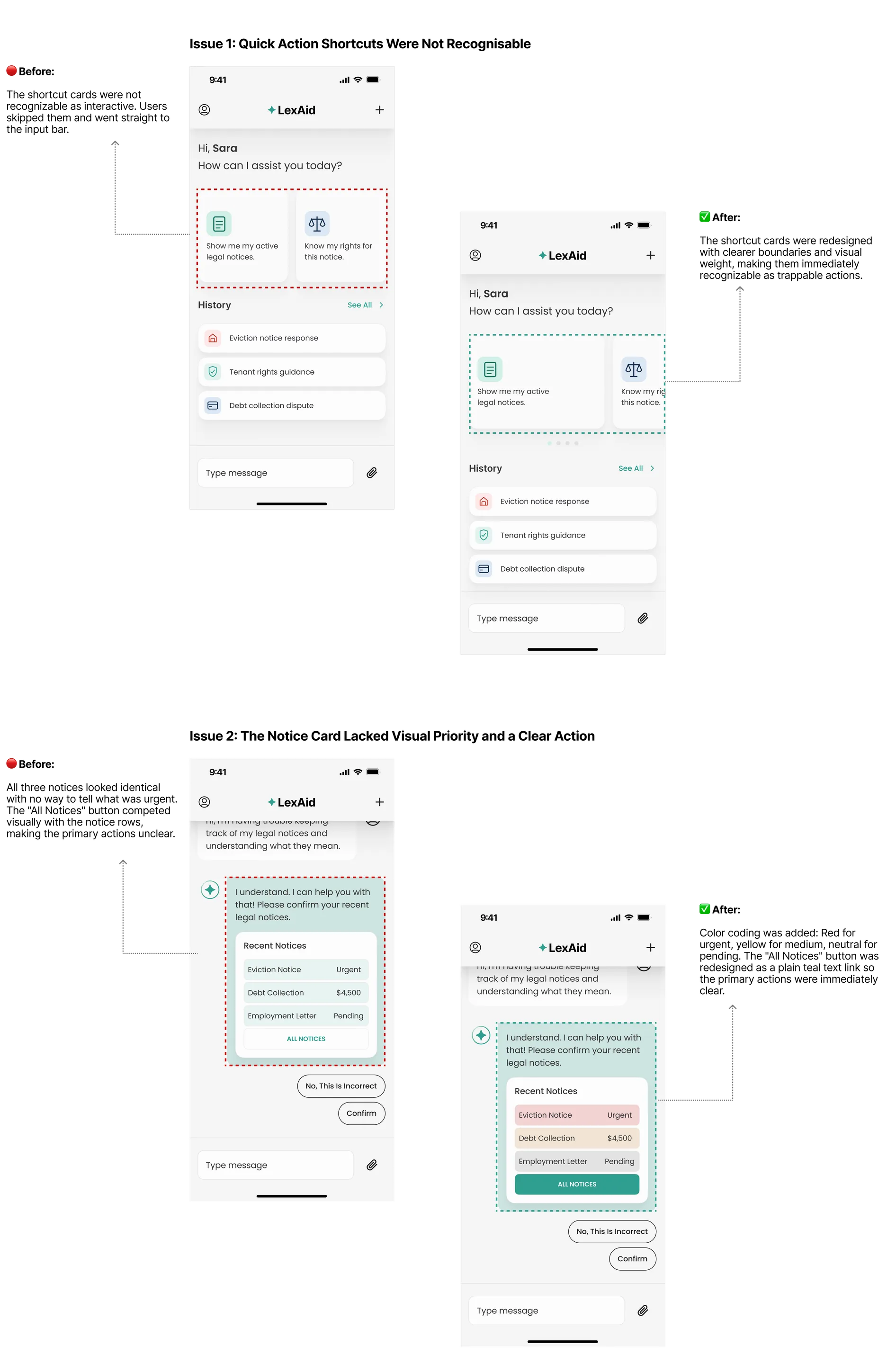
Usability testing revealed two issues that were getting in the way of users moving forward confidently. Both were fixed before the final designs were completed.
The hardest part was not the AI or the interface. It was learning to write like a person, not a legal document.
Legal problems do not wait. They come with deadlines, consequences, and language most people were never taught to read. Every response Lex gives had to be clear enough for someone who is panicked and alone at 11pm with a notice they do not understand.
Not a nicety on top of it. The copy carried more of the experience than any screen I designed.
I stopped designing for a calm reader and started designing for 11pm, panicked, with a deadline they just found out about.
That one rule settled most scope arguments. Anything that did not lead to a next step did not belong in the product.
Check out what else I've worked on